Picture Word Learning Puzzle
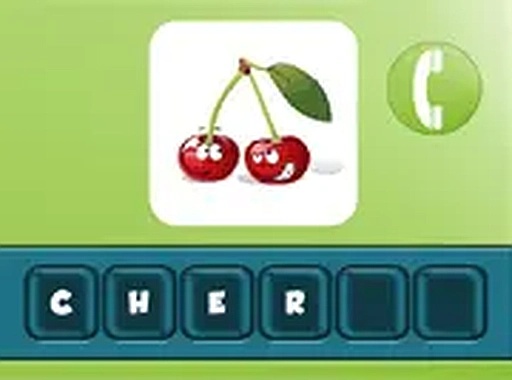
Look at a picture, then spell the word by choosing letters in the right order. This educational puzzle helps build vocabulary and observation skills in a relaxed, no-pressure setting.
Reviews
A fun, educational word puzzle that builds vocabulary through picture recognition. Great for kids and stress-free learning.
About this game
Game Introduction
Picture Word Learning Puzzle is an educational HTML5 game that combines visual recognition with vocabulary building. Players look at a picture and must identify the word it represents by selecting the correct letters in order. The game features four distinct categories, ensuring variety and ongoing challenge. Each correct answer earns coins that contribute to your overall score. If you need assistance, Mr. Smith provides a clue to help you move forward. The game runs directly in your browser with no downloads required, making it accessible on both mobile devices and desktop computers. Its colorful design and intuitive controls create a welcoming experience for children and adults alike. This game turns learning into a playful activity, encouraging observation and spelling skills in a stress-free environment.
How to Play
To play, start by selecting one of the four categories from the main menu. A picture will appear on the screen. Below it, you will find a set of letters. Your goal is to tap or click the letters in the correct sequence to spell the word that matches the image. Each correct guess adds coins to your score. If you are unsure, click on Mr. Smith to receive a hint. The game has no time limits, so you can proceed at your own pace. It supports full screen mode for a more focused experience. You can play on any device with a modern browser, making it easy to enjoy during breaks or while traveling.
Game Features
Game features include educational and fun brain training, multiple categories to explore, a coin reward system that tracks progress, a helpful clue system via Mr. Smith, compatibility with mobile and desktop devices, full screen mode for immersion, and no downloads or installations required.
Tips for Success
To get the most out of the game, take your time observing each picture before attempting to spell the word. Use the hint system when you feel stuck to avoid frustration and keep the experience positive. Practice regularly to improve your vocabulary and spelling speed. Explore all four categories to broaden your learning and enjoy the variety the game offers.