
Reviews
Description
Game Introduction
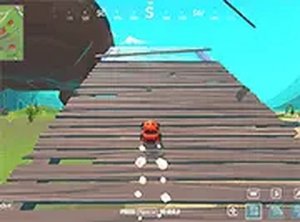
Urban Vehicle Driving Simulator is a free online driving experience that places you behind the controls of various vehicles across two distinct maps. The main objective is to navigate through varied environments, including a detailed city map with streets and obstacles, using a realistic control system for precise handling. This game offers a safe, family-friendly driving experience that is optimized for desktop computers. You can play directly in your browser without any downloads or installations. It is designed for casual gamers who enjoy vehicle simulations and want a quick, engaging session. The game emphasizes careful maneuvering and exploration rather than competition, making it suitable for all ages. With clear graphics and responsive controls, it provides an accessible way to experience vehicle driving from your computer. The two different maps offer distinct driving challenges, encouraging players to adapt their driving style to different layouts and obstacles.
How to Play
Playing Urban Vehicle Driving Simulator is straightforward. You use your keyboard and mouse to control the vehicle. Navigate the city map by driving through streets and around obstacles, using the realistic controller for accurate movement. The game is designed for desktop computers, so for the best experience, play on a PC or laptop. You can switch between different vehicles and maps to try new driving challenges. Simply open the game in your browser, and you are ready to drive. No downloads or installations are needed, and you can activate full screen mode for a more immersive view. The controls are intuitive, allowing you to focus on exploring the environments.
Game Features
Features include two distinct maps with varied environments, multiple vehicles to drive, a realistic controller for accurate handling, full screen mode for an expanded view, and free browser-based play that requires no downloads. The controls are responsive, and the graphics are clear, making it easy to enjoy right away. The game is optimized for desktop computers, ensuring smooth performance. The variety of maps and vehicles adds replay value, as each offers a different driving experience.
Tips for Success
To succeed in Urban Vehicle Driving Simulator, practice maneuvering through tight spaces and around obstacles to improve your control. Familiarize yourself with each map's layout to find the best routes. Experiment with different vehicles to see which one handles best for your driving style. Use the full screen mode to reduce distractions and enhance your focus. Regular practice will help you master the realistic controller and enjoy the game more fully.





Player Comments
Sign in to comment
You must be logged in before posting a review or rating.
No account? Create one
No comments yet. Be the first to comment!